
TikTok caption limits: native app, schedulers and better copy
Why different tools can show different limits—and how to write TikTok copy that remains useful even when the technical ceiling changes.
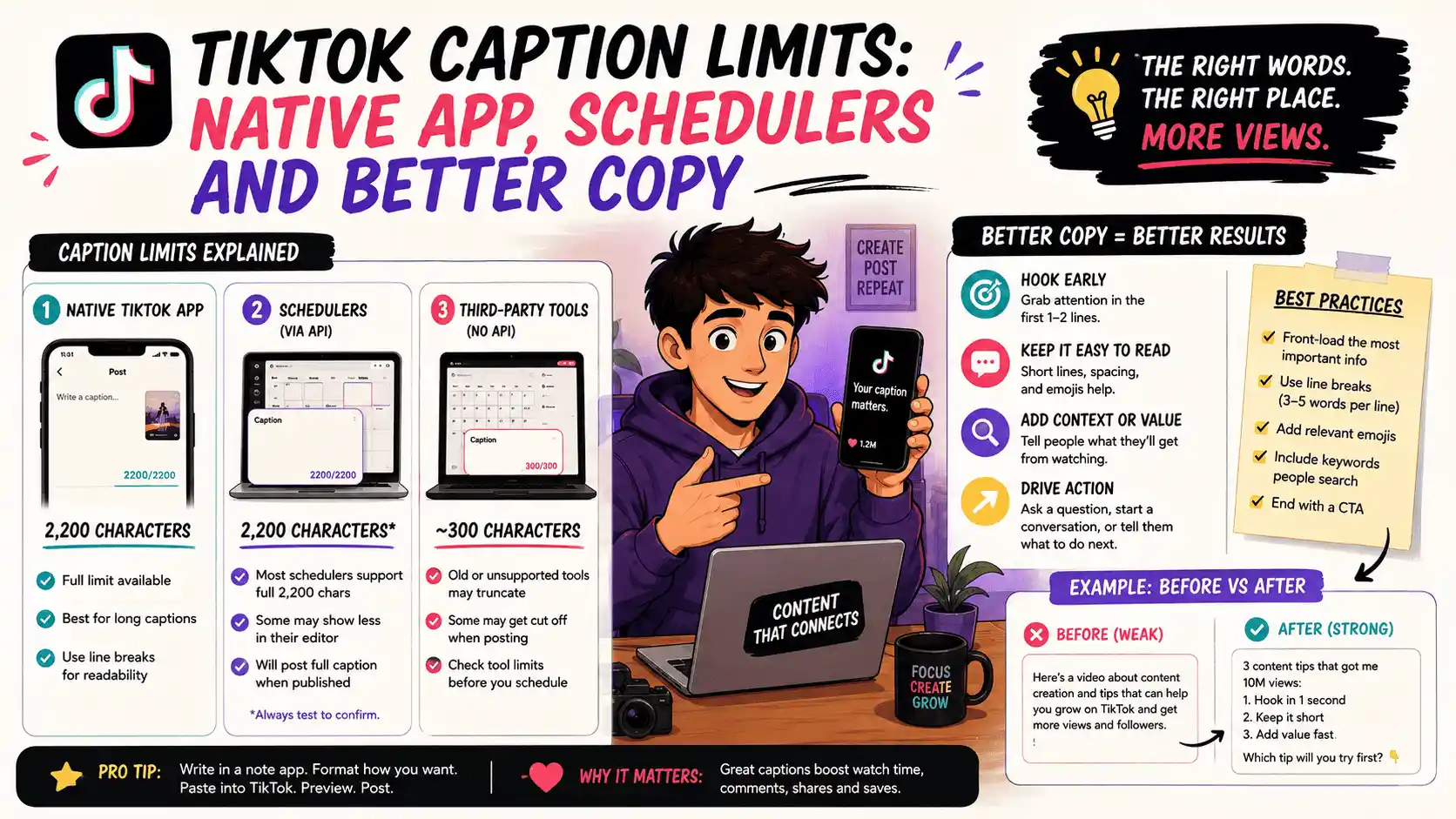
Why the numbers do not always match
A native mobile composer and a third-party publishing API are not always exposed to the same product limits at the same moment. Platform rollouts, account type and provider support can create different ceilings.
That is why a checker should name its context instead of presenting one number as an eternal rule. When a scheduled post matters, the connected publishing flow is the final source of truth.
The technical limit is not the writing target
A caption can fit and still fail. Short-form viewers first experience the video, hook and opening lines. Put the useful context early, break dense copy into readable lines and avoid hiding the point behind a wall of hashtags.
Long captions can work when the post earns attention, but length should come from substance rather than the available character count.
Write per platform
Copying an Instagram caption unchanged into TikTok often preserves the wrong call to action, tag style or tone. Keep the campaign idea shared while adjusting the actual words for the destination.
Postelk lets a scheduled batch carry different platform text so cross-posting does not mean identical posting.
A practical TikTok caption pass
- Read the first two lines alone - do they work without the rest?
- Remove setup the video already explains
- Keep names and claims accurate
- Use only relevant tags
- Confirm the connected scheduler accepts the text before queuing a large batch
Read the first two lines alone. Remove setup the video already explains. Keep names and claims accurate. Use only relevant tags. Finally, open the connected scheduler and confirm the text is accepted before queuing a large batch.
Check safe zones, aspect ratios, subtitle timing and publishing copy in your browser—without creating an account.
Browse free tools →